What Is a Tenant Improvement Permit?
A tenant improvement permit, often called a TI permit, is usually required when a commercial tenant modifies an existing space for a new or updated business use. This may include new walls, revised rooms, restroom upgrades, new ceilings, lighting changes, mechanical work, plumbing changes, electrical upgrades, kitchen equipment, accessibility improvements, or new operations within an existing building.
For business owners, landlords, and tenants, the tenant improvement permit process is one of the most important steps before construction begins. It gives the city an opportunity to review the proposed work, confirm that the space can support the intended business use, and check that the project meets applicable building code, accessibility, fire and life safety, and energy requirements.
Tenant improvements are common in office buildings, retail centers, restaurants, medical offices, salons, warehouses, industrial buildings, and mixed use properties. Even when the building already exists, the city may still need to review the proposed work because the new tenant, layout, or business use may create new code requirements.
For many business owners, the process starts with a simple question. Can this space work for my business? The answer depends on more than rent, square footage, and location. A commercial space needs to support the proposed use, the expected number of occupants, the required exits, the restroom layout, accessibility, ventilation, plumbing, electrical capacity, and fire and life safety requirements. A space that worked for one tenant may not automatically work for the next tenant.
This is why a tenant improvement permit matters. The permit process helps confirm that the space can be safely occupied and that the improvements meet city requirements. For the tenant, landlord, contractor, and design team, the TI drawings also help define exactly what is being built.
What Is a Tenant Improvement or TI Project?
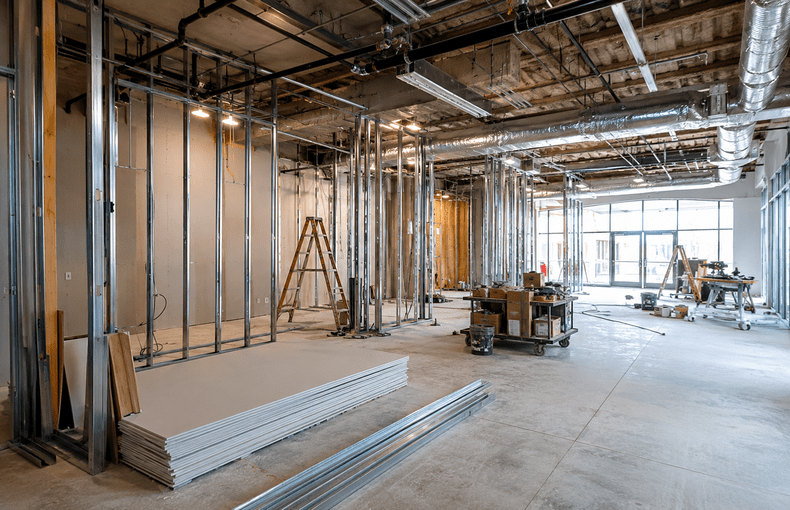
A tenant improvement, also called a TI project, is work performed inside an existing commercial space to make it suitable for a tenant’s business. This can include a new office layout, retail buildout, restaurant interior, medical office, warehouse office area, industrial support space, or other commercial use.
Tenant improvements may be simple or complex. A basic office tenant improvement may involve new partitions, doors, lighting, ceiling work, power, data, and finishes. A restaurant tenant improvement may involve kitchen equipment, hood systems, grease systems, restrooms, plumbing, electrical upgrades, mechanical ventilation, and health department review. A warehouse tenant improvement may involve office buildouts, restrooms, employee areas, storage layouts, equipment, fire access, accessibility, and electrical or mechanical coordination.
The level of architectural work depends on the scope. Some TI projects only need architectural drawings. Others require structural, mechanical, electrical, plumbing, Title 24, fire protection, or other consultant coordination.
A tenant improvement architect helps organize these requirements into a clear permit package. This is especially important for commercial tenant improvement projects because the work often affects multiple systems at once.
When Is a Tenant Improvement Permit Required?
A tenant improvement permit is usually required when the proposed work affects the layout, use, building systems, accessibility, structure, or life safety of a commercial space.
A TI permit may be required when new walls are added, existing walls are removed, doors are relocated, restrooms are modified, ceilings are changed, lighting is replaced, HVAC systems are revised, plumbing fixtures are added, electrical service is modified, or the business use changes.
A permit may also be required when a space is being prepared for a new tenant, even if the work appears minor. For example, a tenant may take over an existing retail space and plan to use it as a restaurant. The space may already have walls, restrooms, and utilities, but the new use may trigger additional requirements. The city may need to review the kitchen layout, ventilation, plumbing, occupant load, restroom count, accessibility, and health department requirements.
The same issue can happen with office, medical, industrial, and warehouse spaces. A former office may not be ready for medical use. A warehouse may not be ready for manufacturing. A retail space may not be ready for assembly or food service. The permit process helps determine whether the existing space can support the proposed business.
For tenant improvement permit Los Angeles projects, early review is especially important because commercial projects may go through building review, planning review, fire review, accessibility review, health department review, or other department review depending on the scope.
Why TI Drawings Matter
TI drawings are the documents used to explain the proposed tenant improvement work to the city, landlord, contractor, consultants, and other project participants. They show the existing condition, the proposed changes, and the code related information needed for review.
A typical tenant improvement drawing set may include a cover sheet, project information, code summary, existing floor plan, demolition plan, proposed floor plan, reflected ceiling plan, finish plan, restroom plans, door schedule, accessibility details, construction details, and general notes.
Depending on the project, the drawings may also include mechanical plans, electrical plans, plumbing plans, structural plans, Title 24 documentation, fire protection drawings, equipment schedules, or health department information.
Clear commercial permit drawings help reduce confusion. They allow the city to review the project. They help the contractor price the work. They help the landlord understand what changes are being made to the building. They also help the tenant understand what is included in the project before construction begins.
Poor drawings can create delays, plan check corrections, pricing problems, and construction disputes. If the drawings are incomplete or inconsistent, the city may ask for revisions. If the contractor prices the work from unclear drawings, the project may face change orders later. If the landlord does not understand the scope, there may be conflict during or after construction.
Why Tenants Should Review the Space Before Signing a Lease
One of the biggest mistakes tenants make is signing a lease before reviewing the permit and code requirements. A space may look good during a walkthrough, but hidden issues can affect cost and schedule.
A tenant may choose a space because the rent is attractive, the location is strong, or the layout looks close to what they need. But the building may not have enough plumbing, electrical capacity, ventilation, accessibility, restroom compliance, or fire protection for the proposed use. These issues may not be obvious until a commercial architect reviews the space.
For example, a restaurant tenant may lease a space without realizing that the kitchen exhaust, grease system, gas line, plumbing, restroom layout, or electrical service is not adequate. A medical office tenant may discover that additional plumbing, accessibility clearances, or room layouts are needed. A warehouse tenant may find that office buildouts, storage height, equipment, or employee areas trigger additional permit review.
Lease timing can make this more serious. Many tenants begin paying rent before the space is fully permitted or ready to open. If the permit process takes longer than expected, the tenant may carry rent, insurance, payroll, loan payments, equipment costs, or other business expenses before generating revenue.
Early architectural review helps reduce this risk. A commercial tenant improvement architect can review the proposed use, existing layout, likely permit path, and possible code issues before the tenant commits to the space.
For businesses looking for a tenant improvement architect in Los Angeles, local experience can be valuable because commercial projects may involve city specific submittal requirements, plan check procedures, and department coordination.
Common Tenant Improvement Permit Issues
Tenant improvement projects often run into similar permit issues. These issues are not always visible at the start, but they can affect the approval process and construction budget.
Accessibility is one of the most common issues. Commercial spaces may need accessible entrances, paths of travel, restrooms, counters, doors, signage, and parking. Older spaces may not meet current accessibility standards, and tenant improvement work can trigger review.
Restrooms are another common issue. A project may require restroom upgrades, fixture changes, accessible clearances, plumbing modifications, or additional restroom capacity depending on the use and occupant load.
Exiting and occupant load can also affect the design. The city may review how many people are expected to occupy the space, how they exit, how far they travel to exits, and whether the doors and corridors are adequate.
Mechanical, electrical, and plumbing systems are also important. New layouts, equipment, lighting, HVAC, sinks, kitchen equipment, or office areas may require consultant drawings and coordination.
Title 24 energy compliance may apply when the project includes lighting changes, mechanical changes, envelope work, or other energy related improvements.
Fire and life safety issues may also apply. Depending on the project, this may involve fire alarms, sprinklers, fire separations, rated corridors, exit signs, emergency lighting, or fire department review.
How an Architect Helps With a Tenant Improvement Permit
A tenant improvement architect helps turn the business plan into a permit ready set of drawings. This starts with understanding the existing space and the proposed use. The architect reviews the layout, identifies possible code issues, coordinates with consultants, and prepares drawings for submittal.
The architect also helps organize the scope of work. This is important because many TI projects involve several parties. The tenant may have business goals. The landlord may have building requirements. The contractor may need clear drawings for pricing. The city may need code information. Consultants may need coordination. The architect helps connect these pieces.
A good architect also helps avoid unnecessary confusion. If the project needs structural, mechanical, electrical, plumbing, Title 24, or fire protection coordination, the architect can help identify that early. This gives the owner or tenant a better understanding of what is needed before construction begins.
During plan check, the city may issue correction comments. This is common. The architect can respond to plan check corrections, revise the drawings, coordinate consultant changes, and resubmit the package. A clear response helps keep the project moving.
If you are searching for a commercial architect in Los Angeles or an architecture firm in Los Angeles for a tenant improvement project, the important thing is to find a team that understands commercial drawings, consultant coordination, permit submittals, and plan check responses.
Tenant Improvements for Different Business Types
Different commercial uses have different tenant improvement needs.
Office tenant improvements often involve private offices, conference rooms, open work areas, break rooms, restrooms, lighting, HVAC distribution, power, data, and accessibility. The design must support workflow and code compliance.
Retail tenant improvements may involve sales areas, storage rooms, fitting rooms, counters, display areas, lighting, signage coordination, restrooms, and accessibility. Customer flow and visibility are important, but the layout also needs to meet building code requirements.
Restaurant tenant improvements are usually more complex. They may involve kitchens, hood systems, grease systems, plumbing fixtures, food preparation areas, dining layouts, restrooms, electrical loads, gas lines, health department review, and mechanical ventilation.
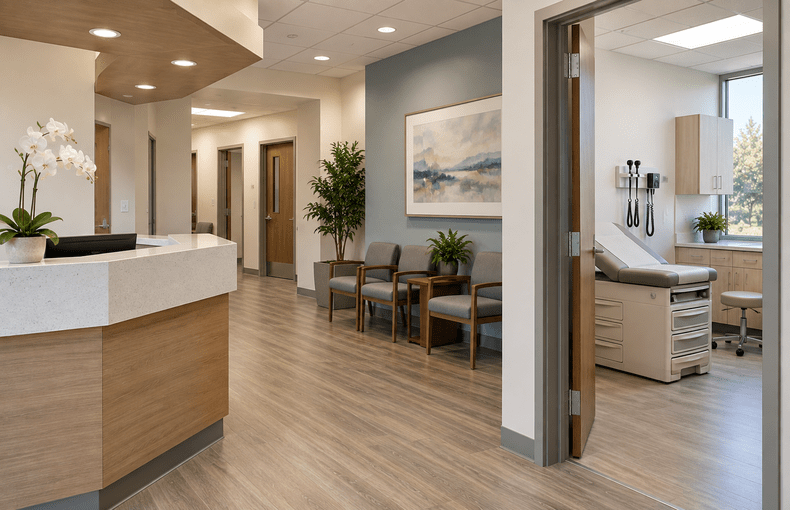
Medical office tenant improvements may involve exam rooms, waiting areas, reception, accessible routes, plumbing, specialized equipment, patient circulation, and privacy needs.
Warehouse and industrial tenant improvements may involve office buildouts, restrooms, employee areas, storage, equipment, loading areas, fire access, ventilation, electrical capacity, and operational layouts.
Each project type has different code and permit issues. This is why a tenant improvement permit should be planned around the actual business use, not just the existing space.
What Owners and Tenants Should Prepare Before Starting
Before starting a tenant improvement project, it helps to gather as much information as possible. Existing floor plans, lease documents, landlord requirements, previous permit records, photos, business use descriptions, equipment lists, and desired layouts can all help the architect understand the project.
The owner or tenant should also be clear about the intended use of the space. The city will review the project based on how the space will actually be used. A vague description can lead to confusion during plan check. A clear description helps the design team identify the right code path.
It is also helpful to discuss schedule early. If the tenant has a planned opening date, that date should be compared against design time, consultant coordination, city review, plan check corrections, construction time, inspections, and final approvals. A realistic schedule helps avoid poor decisions caused by pressure.
Budget should also be discussed early. Tenant improvement costs can be affected by code upgrades, building systems, accessibility, restrooms, structural work, equipment, and consultant requirements. Architectural review can help identify issues that may affect cost before the project moves too far forward.
Why a Complete Permit Package Can Save Time
A complete permit package does not guarantee instant approval, but it can reduce avoidable delays. The city needs enough information to understand the project. If information is missing, unclear, or inconsistent, plan check comments are more likely.
A coordinated package helps the reviewer understand the existing space, proposed layout, code approach, accessibility compliance, consultant scope, and construction details. It also helps the contractor understand the work during pricing and construction.
Incomplete drawings may seem cheaper at first, but they can become expensive later. Repeated plan check comments, redesign, consultant revisions, contractor questions, and construction changes can cost more than preparing the project properly at the start.
For commercial tenants, time matters. Delayed approvals can affect lease costs, opening dates, staffing, equipment delivery, and business operations. Good planning does not remove every risk, but it gives the project a better foundation.
Need Help With a Tenant Improvement Permit?
If you are planning a commercial tenant improvement or TI project, the best time to involve an architect is before signing a lease, before starting construction, and before ordering major equipment. Early review can help identify permit issues, code concerns, consultant needs, and possible schedule risks.
Gerami Architectural Corporation is a Los Angeles architecture firm that can help with tenant improvement permits, TI drawings, commercial architectural drawings, permit drawings, code review, consultant coordination, Title 24 coordination, and plan check responses.
Planning an office, retail, restaurant, warehouse, industrial, medical, or commercial tenant improvement? Gerami Architectural Corporation can review your space, prepare the drawings, coordinate the required consultants, and support the permit submittal process.
Contact Gerami Architectural Corporation to discuss your tenant improvement project.